|
| Summary: |
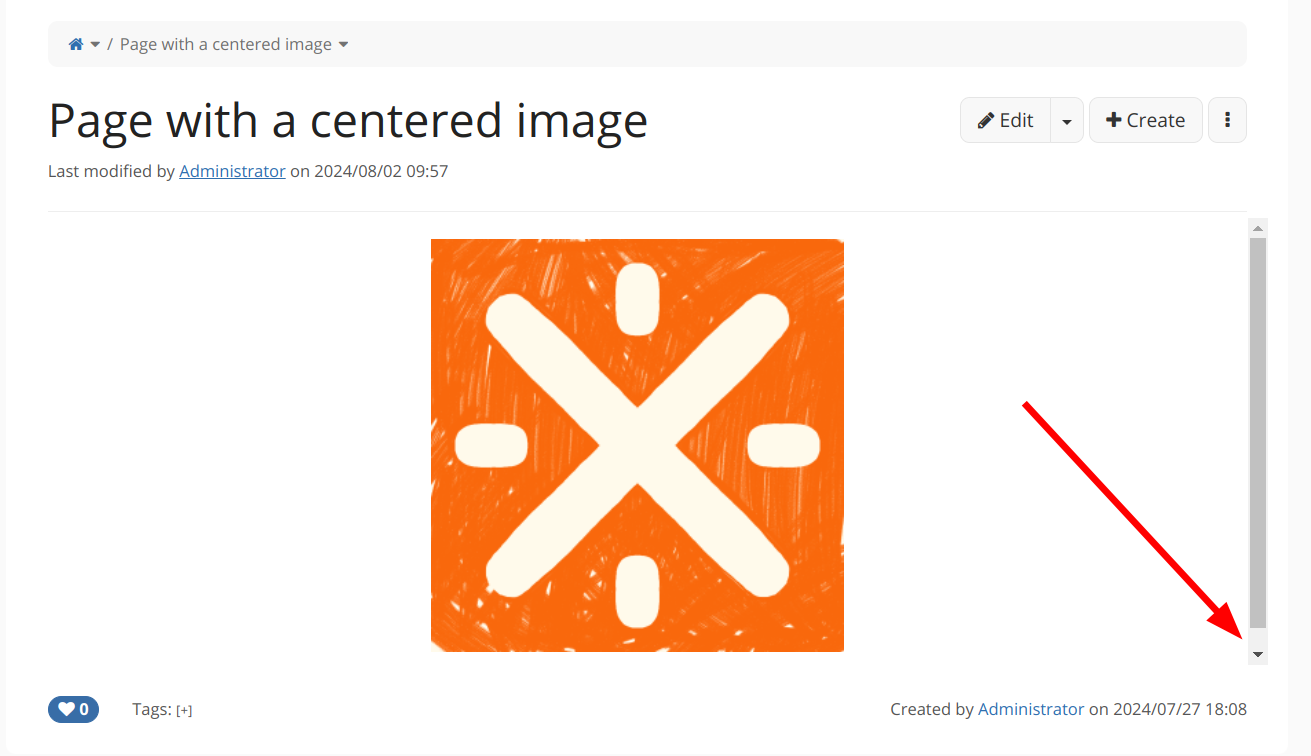
Centered image is displaying a scroll bar on the document content if it's the only content in the page on Chrome |
| Issue Type: |
 Bug Bug |
| Affects Versions: |
16.4.1 |
| Assignee: |
Unassigned |
| Attachments: |
image-2024-08-02-10-19-34-250.png |
| Components: |
Image |
| Created: |
02/Aug/24 10:19 |
| Environment: |
Chrome browser |
| Priority: |
 Major Major |
| Reporter: |
Anca Luca |
| Description: |
Steps to reproduce:
- create a page with the following syntax (replacing the image name with an image you have):
- note that this syntax is obtained by adding an image from the wysiwyg editor and choosing the center option in alignment options
- note: no image style is configured on the instance, it's the default setting of styles, shipped with the standard distribution
- save
- view the page
Expected result:
- the image is displayed centered on the page, with no scroll bars
Actual result:
- there is a vertical scroll bar on the content:

This doesn't seem to reproduce on Firefox. |
|