This issue has been created
There is 1 comment.
 
 
XWiki Platform / cid:jira-generated-image-avatar-fe5336bd-9588-431a-8fcd-227662469a4f XWIKI-24130 Open

Previous step button not aligned with Next and Finish buttons

 
View issue   ·   Add comment
 

Issue created

 
cid:jira-generated-image-avatar-5986fe22-6a04-406e-b2a4-9a7977a6484a Nikita Petrenko created this issue on 18/Mar/26 11:03
 
Summary: Previous step button not aligned with Next and Finish buttons
Issue Type: cid:jira-generated-image-avatar-fe5336bd-9588-431a-8fcd-227662469a4f Bug
Affects Versions: 17.10.4
Assignee: Unassigned
Attachments: Step 3 — Locate your data.png, Step 4 — Customize your application home page.png
Components: App Within Minutes
Created: 18/Mar/26 11:03
Environment: Ubuntu 24.04.04, demo XWiki Jetty.HSQLDB 17.10.4, MS Edge 146.0.3856.62
Labels: usability
Priority: cid:jira-generated-image-static-major-00bf8df7-4e5a-4188-940f-63063fd44053 Major
Reporter: Nikita Petrenko
Description:

Steps to reproduce:

  1. Create your own AWM
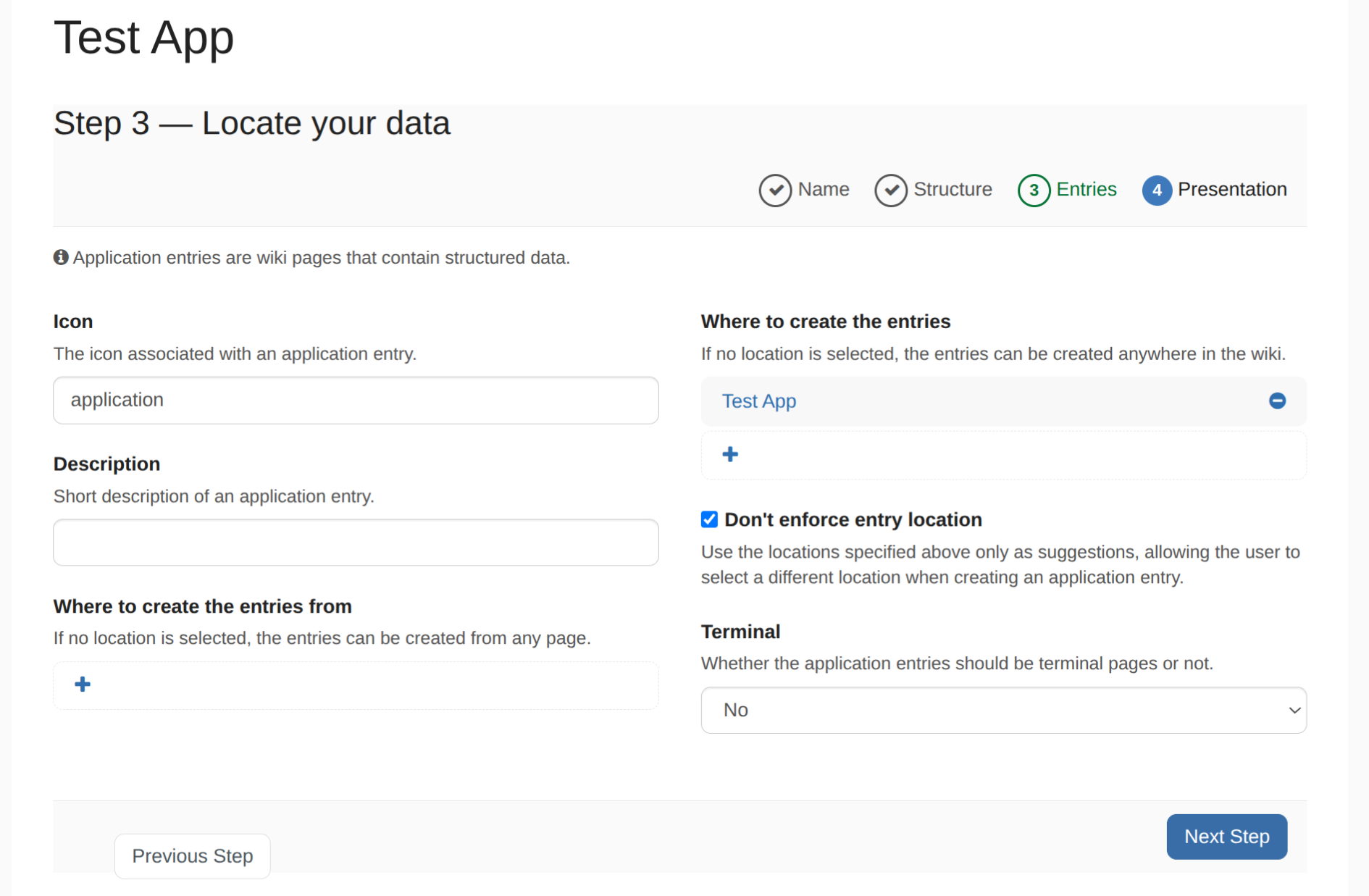
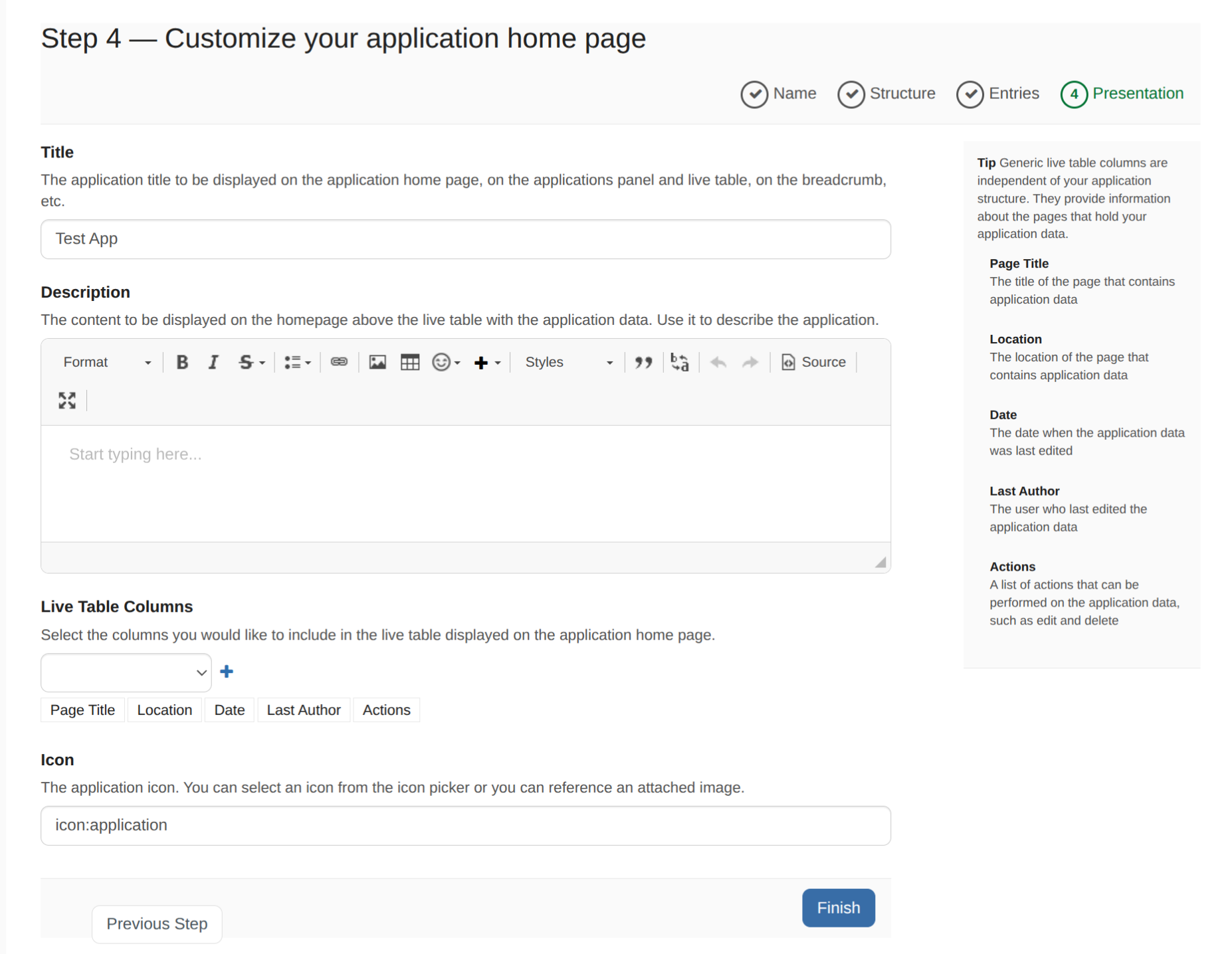
  2. Observe location of "Previous Step" button in pre-last step "Step 3 — Locate your data" and last step "Step 4 — Customize your application home page"

Actual result

The "Previous step" button is misaligned and appears at a different level compared to the "Next/ Finish" button.

Step 3 — Locate your data.pnglink_attachment_7.gif
Step 4 — Customize your application home page.pnglink_attachment_7.gif

Expected result

The "Previous step" button should be aligned on the same level as the "Next/Finish" button.


1 comment

 
cid:jira-generated-image-avatar-5986fe22-6a04-406e-b2a4-9a7977a6484a Nikita Petrenko on 18/Mar/26 11:11
 

Buttons are aligned on same level on XWiki 17.10.3