Changes by Marius Dumitru Florea on 20/Oct/26 12:03
Attachment:
slash-menu-before.png
Attachment:
slash-menu-after.png
1 comment
Marius Dumitru Florea on 20/Oct/26 12:03
All 5 problems are fixed on stable-18.9.x (so in 18.9.0), and the commits are being cherry-picked on master:
Typing ``` followed by a space created a code block with an empty language: BlockNote sets the typed language name as is when it doesn't match any language. The code block now uses the Plain Text language, so it is saved as a code macro call without the language parameter, like a code block inserted from the slash menu.
Ctrl+Alt+C had no effect: BlockNote's slash menu displays this shortcut for "Code Block" but doesn't register it (reported upstream as https://github.com/TypeCellOS/BlockNote/issues/3211). We now register it ourselves: it turns the current block into a Plain Text code block.
Typing letters in the language selector triggered the XWiki keyboard shortcuts: selecting a language renders the code block again, which replaced the focused language selector, so the focus moved to the page body and, in Chrome, the next typed letters reached the view mode shortcuts (Firefox doesn't notify the focus loss, so the shortcuts stayed disabled there). The language selector now keeps the focus. While investigating we also found that the view mode shortcuts were not disabled while typing in any drop-down list of the page (e.g. typing "d" in the Live Data page size selector opened the page source); drop-down lists are now handled like text inputs.
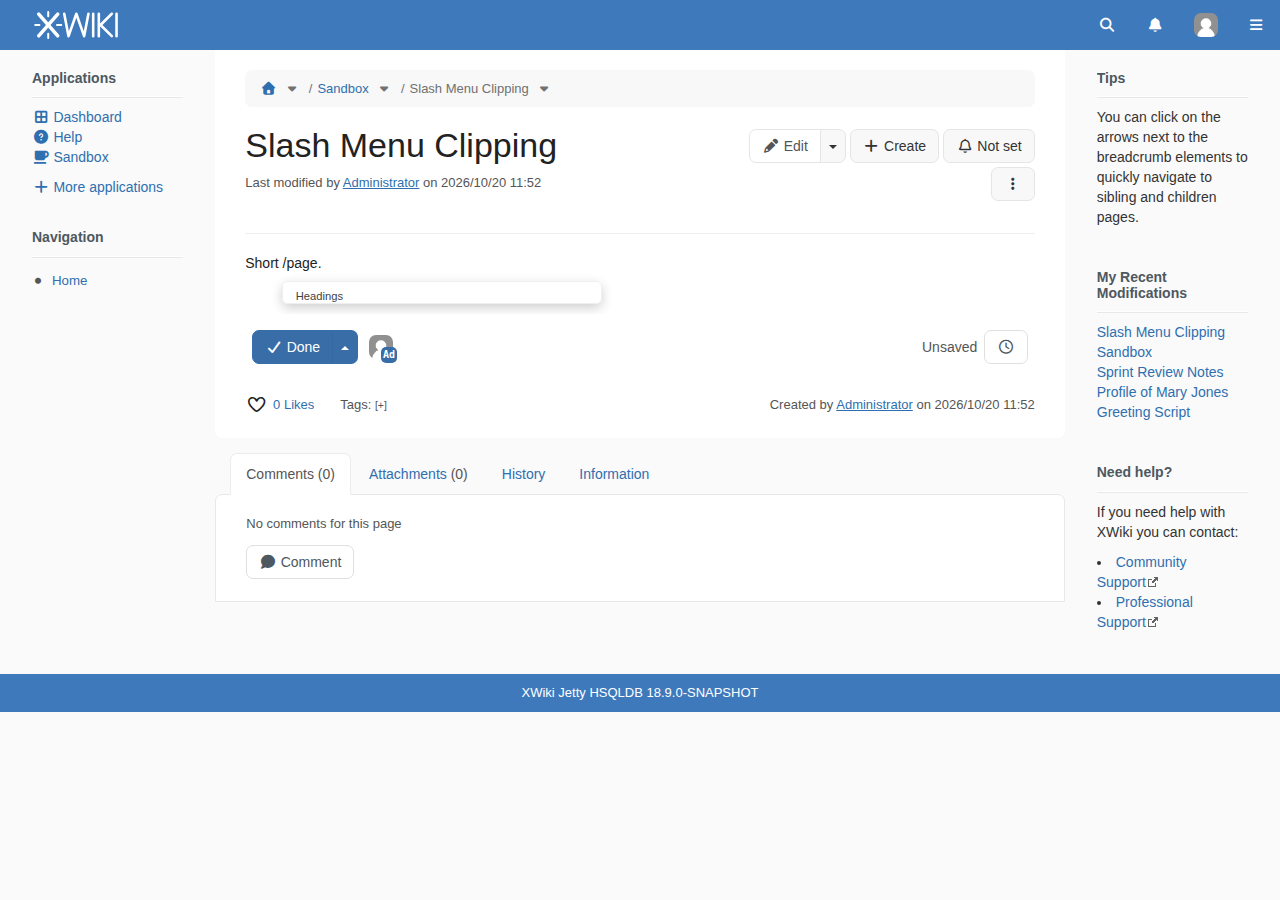
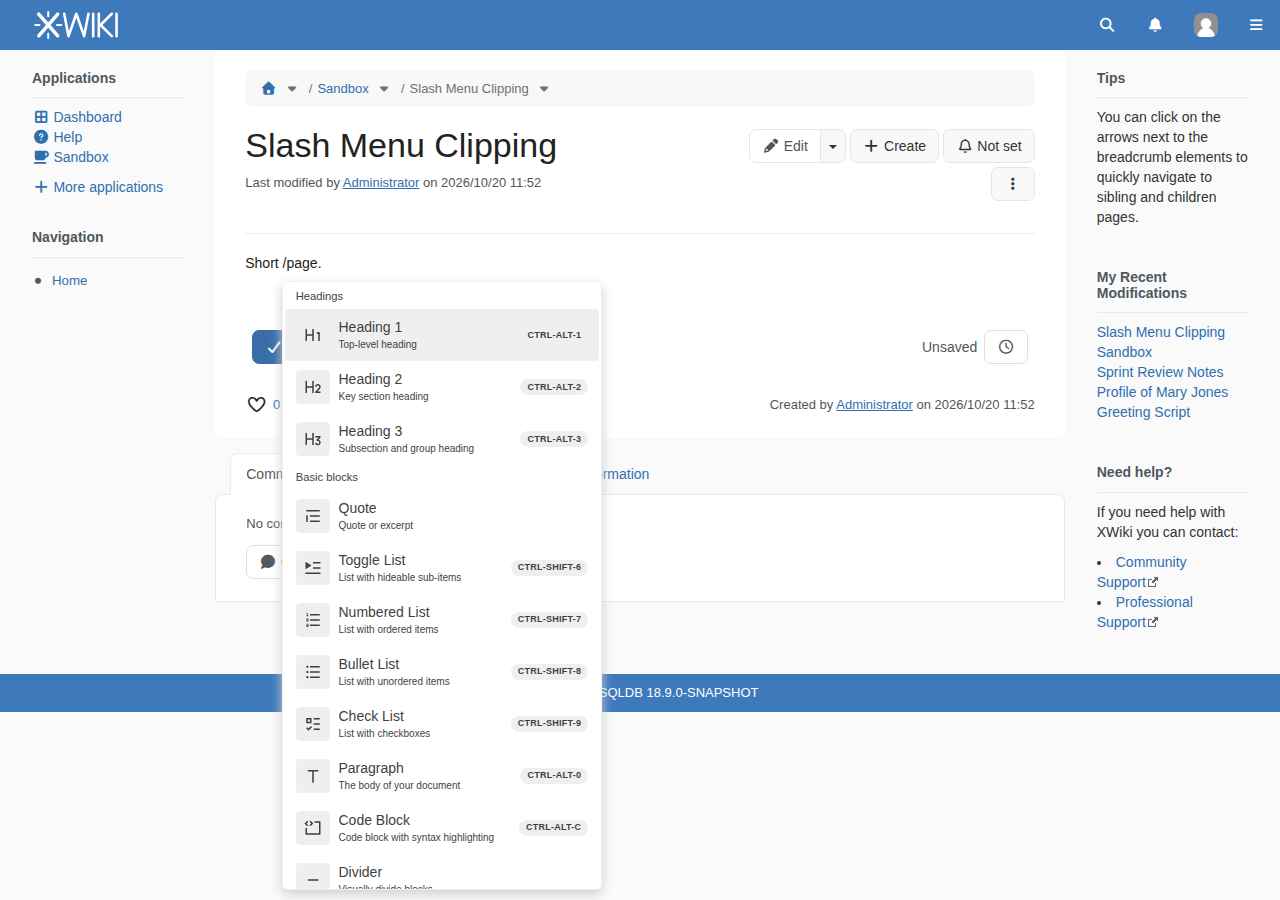
The slash menu was clipped in the in-place edit mode: in place, the editor is created inside #xwikicontent, which the skin makes a scroll container (overflow: auto) for the wide content in view mode. The slash menu was squeezed to the height of that element, so on a page with little content only part of its first entry was visible. #xwikicontent is no longer a scroll container while it is edited in place with BlockNote. Before and after:
Some languages were not recognized by the code macro: verified against the Pygments version bundled with the code macro (2.4.2). "Shell" was saved as shellscript and "Markdown" as markdown, which Pygments doesn't recognize, so they were displayed without syntax highlighting in view mode; they are now saved as bash and md. 14 other languages of the selector (GraphQL, JSON with Comments, JSON Lines, JSX, MDX, Mermaid, PostCSS, RegExp, Svelte, TSX, Vue, Vue HTML, WebAssembly, WGSL) have no lexer in Pygments 2.4.2: they are saved with their own id, which newer Pygments versions recognize for the most part, and displayed without syntax highlighting in view mode for now.
PS: This comment was co-written with Claude Code.
This message was sent by Atlassian Jira (v9.3.0#930000-sha1:287aeb6)
If image attachments aren't displayed, see this article.