Each configured JIRA server now has an instance type (JIRA.JIRAConfigClass property instanceType). An empty value is the default type, JIRA Data Center / Server, so existing configurations don't change. The macros (jira, jiraCount and the chart macros) get their data from the connector of the server's instance type.
Extension points
An extension adding a kind of JIRA instance provides:
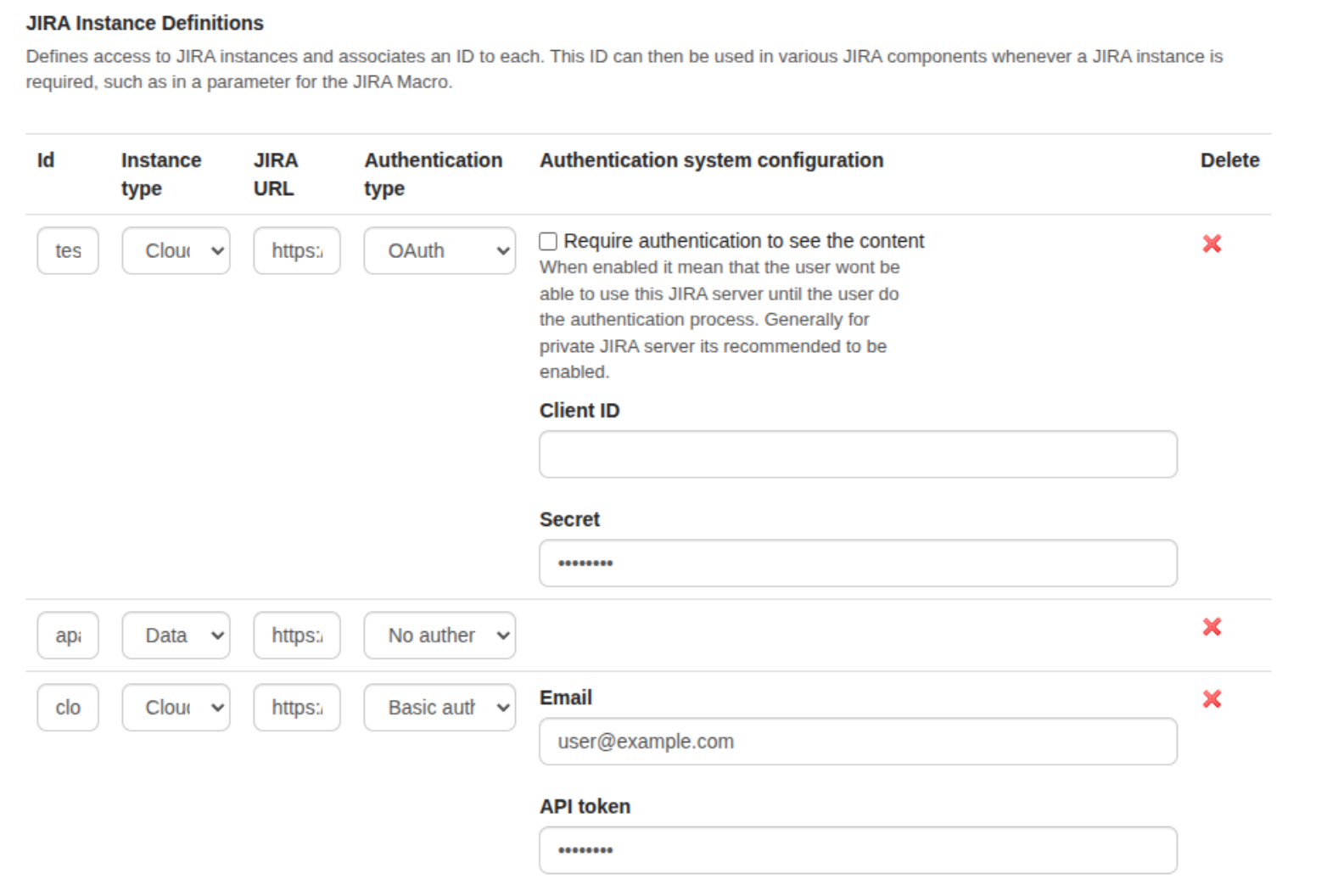
a UI extension of the org.xwiki.contrib.jira.instancetype extension point, which adds the type to the "Instance type" column of the JIRA administration. Parameters:
instance_type: the value stored in the configuration, also the hint of the connector;
translation_key: the label of the type (the type itself when missing);
order: the position of the type in the list;
a org.xwiki.contrib.jira.macro.JIRAConnector component whose hint is the instance type (searchIssues, countIssues, fetchGadgetData). The formats it returns (the <item> elements read by the displayers, and the gadget JSON of each chart) are documented in its javadoc;
optionally, <key>.<instanceType> translations of the basic authentication fields (e.g. jira.config.auth.basicAuth.username.cloud), to relabel them for that type (e.g. "Email" / "API token").
Behaviour
The "Instance type" column is only displayed when an extension contributes a type, or when a server uses a type whose extension isn't installed anymore. The administration is unchanged otherwise.
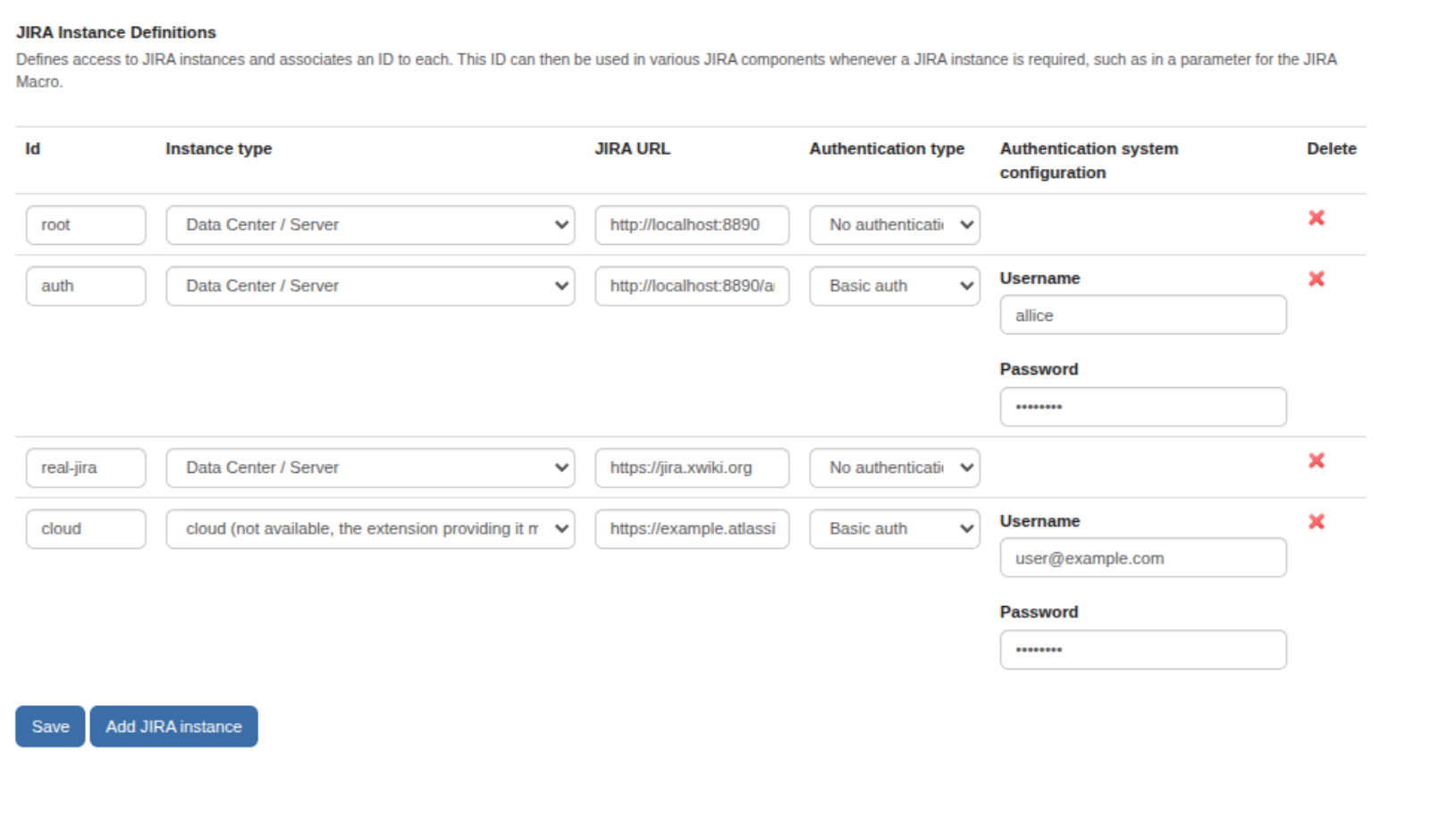
A server whose instance type has no connector (e.g. the extension was uninstalled) keeps its type, displayed as "(not available, the extension providing it may be missing)", so saving the configuration doesn't change it. Its macros display an error instead of falling back to the default connector.
The new API is @since 11.2.0 and @Unstable.
With an extension contributing a "Cloud" type:
When that extension is uninstalled:
This message was sent by Atlassian Jira (v9.3.0#930000-sha1:287aeb6)
If image attachments aren't displayed, see this article.